English
To start earning profit, you need to choose a bot and purchase a Performance Pack using UCN. For the bot to begin operating, you must create or connect an account on one of the supported cryptocurrency exchanges and fund it. Detailed instructions for creating accounts on BingX, MEXC, and HTX are available in the Help Center in the “Exchanges” section.
The profit your bot can generate is limited by the performance of the Performance Pack you purchased.
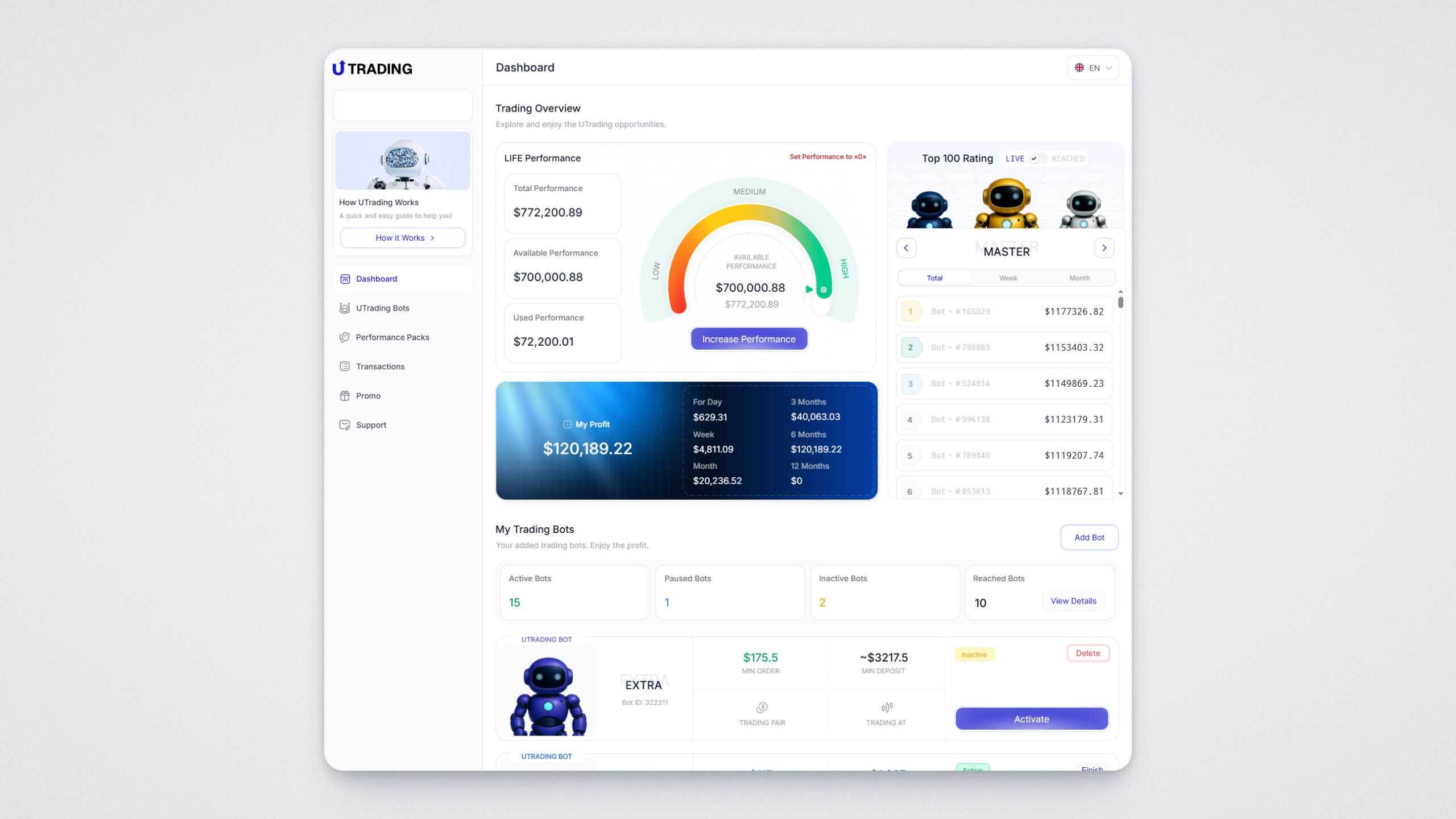
Once you log into UTrading, you’ll see the “Dashboard”.
Here you’ll find the following information:
.webp)
To start getting profit, you’ll need to add your first bot and purchase a Performance Pack. We’ll show you how to do this in just a few simple steps.
On the left side, go to the UTrading Bots section to see the available bots.
There are 7 types of bots, each differing in minimum deposit, minimum order, and recommended deposit.
.webp)
Click “Add Bot” next to the bot you want, then confirm.
You can add up to 20 bots in total. All bots will operate independently on the exchange you connect.
For your bot to start trading, you need to buy a Performance Pack. From the left-hand menu, go to the Performance Packs section.
There are 12 types of Performance Packs to choose from, each differing in cost and performance.
.webp)
Click “Purchase” on the Performance Pack you want.
A payment method window will appear. Currently, only payment in UCN is available.
Click “Accept All” to confirm and then “Purchase”.
.webp)
A payment window with a QR code will appear. Transfer the exact amount shown to the provided address, or scan the QR code with your UWalletApp mobile app.
.webp)
If the payment is successful, you’ll see a confirmation message:
.webp)
To run the bot, you must fund your account on the connected exchange. For maximum performance, we recommend funding the account with an amount 10 times larger than the minimum deposit for your chosen bot.
Note: the bot will use the entire balance of your connected exchange account, not just the minimum amount required to operate. The bot does not generate profit “out of thin air” — it uses your funds for trading.
All Performance Packs you purchase are combined into a single Performance value. Once this is reached, all bots will automatically stop operating. You can see your total available Performance in the “Dashboard”.
You can also review the statistics of bots that have already finished working to evaluate the results.
.webp)
You can activate your bot immediately after connecting it to an exchange, or anytime in the “UTrading Bots” section, as well as from the Dashboard:
.webp)
In the “Dashboard”, you’ll find detailed information about your bot:
.webp)
Please note: you can only connect a bot if your exchange account is funded. If not, the system will not allow the connection.
Click “Details” to see complete bot statistics.
.webp)
In this section, you will have access to the following information:
Below, you’ll find the order history — all orders opened and closed by the bot:
.webp)
Each order contains the following information:
The bot will continue running until it reaches the declared profit target. You can stop or activate the bot at any time from the “Dashboard”.
This guide has explained the main principles of how UTrading trading bots work. If you have further questions, please contact our support team.
Good luck and profitable trading!